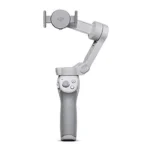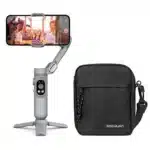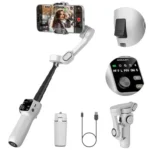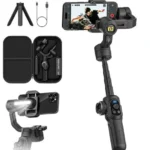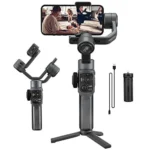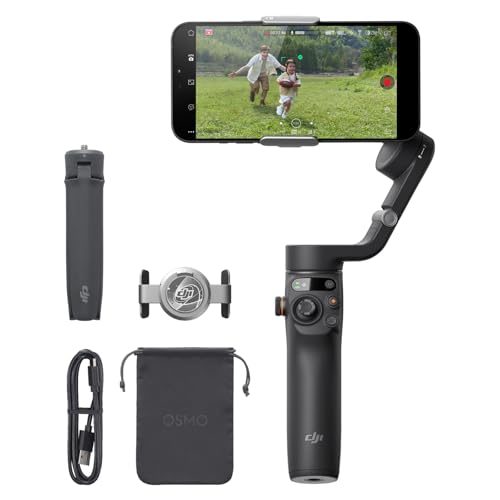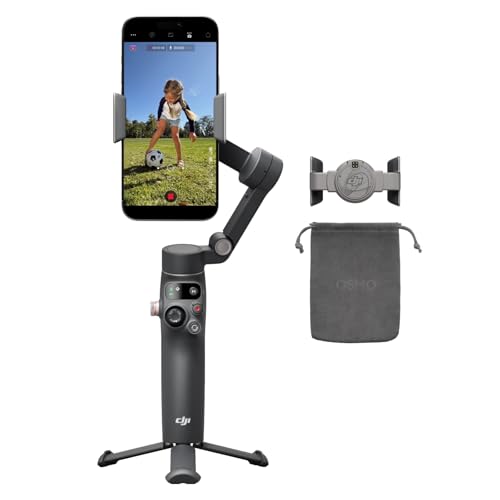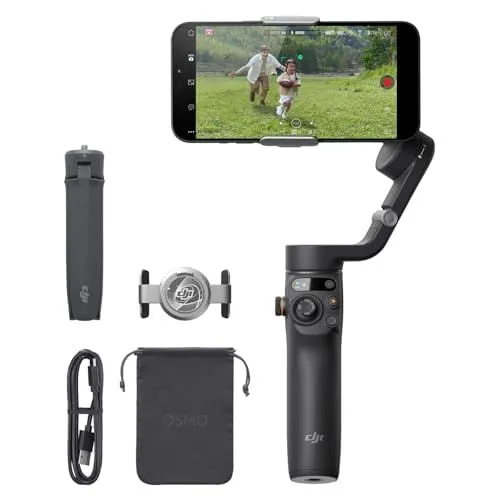
The DJI Osmo Mobile 6 Smartphone Gimbal is a versatile 3-axis stabilizer designed to help creators capture smooth and professional video content with ease. Its advanced stabilization technology compensates for unwanted movements, ensuring that every shot remains steady whether you are walking, running, or filming from a moving vehicle. This compact device features a foldable design that makes it highly portable, fitting comfortably into a pocket or small bag for travel. Additionally, the quick-launch function allows the gimbal to power on and trigger the DJI Mimo app as soon as it is unfolded, so you never miss a moment of inspiration.
For those looking to expand their creative range, the DJI Osmo Mobile 6 Smartphone Gimbal includes a built-in extension rod that reaches an additional 8.5 inches. This feature is perfect for capturing high-angle group shots, low-angle dynamic perspectives, and better-framed selfies. The gimbal also boasts a new side wheel for precise control over zoom and focus, alongside a status panel that displays battery levels and the current gimbal mode. With its magnetic phone clamp, users can securely attach or detach their smartphones in seconds without the need to remove most phone cases, making it an efficient tool for on-the-go vlogging.
Sophisticated software features such as ActiveTrack 6.0 and ShotGuides make the DJI Osmo Mobile 6 Smartphone Gimbal a powerful asset for both YouTube and TikTok creators. ActiveTrack 6.0 provides reliable subject tracking even at longer distances or in crowded environments, keeping the focus exactly where it needs to be. For beginners, the ShotGuides feature automatically recognizes the filming environment and suggests a corresponding shot sequence with helpful tutorials. This comprehensive suite of tools, compatible with both Android and iPhone devices, ensures that high-quality storytelling and cinematic editing are accessible to every mobile filmmaker.
FEATURES:
– 3-Axis Stabilization
– Built-In Extension Rod
– Portable and Foldable
– ShotGuides Tutorials
– Quick Launch Feature
– ActiveTrack 6.0
– Magnetic Phone Clamp
– Vlogging and TikTok Ready
– Android and iPhone Compatible
The DJI Osmo Mobile 6 Smartphone Gimbal is a portable and foldable stabilizer designed to capture smooth, shake-free video on both Android and iPhone devices. This 3-axis gimbal features an advanced magnetic quick-release design that allows users to snap their phone into place and begin filming instantly without the need to remove most phone cases. Its compact frame is built for creators on the go, making it an essential tool for high-quality vlogging on platforms like YouTube and TikTok.
– Great value for the price
– Excellent stabilization for beginners
– Simple and quick setup
– Easy to learn controls
– Smooth footage on uneven ground
– Built-in extension rod for angles
– Compact and foldable design
– Intuitive tracking features
– Professional look for videos
– Effective 3-axis stabilization
– Active Track follows accurately
– Compatible with standard tripods
– Convenient gesture control features
– Reliable battery for content creators
– High quality for the money
– Very easy to pack
– Good device compatibility
– Highly portable for travel
– Helpful for solo creators
– Battery life is not endless
– Possible connectivity quirks
– Tight opening and closing mechanism
– Unclear manual instructions
– Confusing initial joystick movement
– Fast default panning speed
– Steep initial learning curve
– Requires external power for long days
The DJI Osmo Mobile 6 offers excellent value for content creators by providing smooth 3-axis stabilization, a compact foldable design, and a built-in extension rod that is perfect for capturing versatile angles. Its intuitive tracking features, quick setup, and portable nature make it an ideal choice for beginners and solo travelers looking to produce professional-quality videos for platforms like TikTok and YouTube. However, users may encounter a steep initial learning curve due to confusing manual instructions and sensitive joystick controls, while the physical mechanism can feel tight during opening. Additionally, while the battery is reliable for standard use, it may require external power for long filming days, and some users might experience minor connectivity quirks or find the default panning speed too fast. Read more…
ActiveTrack 6.0 Features Overview
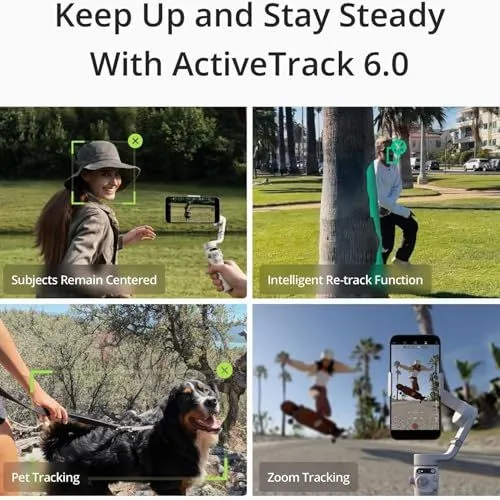
This image is a promotional graphic for ActiveTrack 6.0 technology. It features a four-panel grid showing different tracking capabilities of a smartphone gimbal. The top left panel shows a woman in a hat with a green tracking box around her face. It is labeled Subjects Remain Centered. The top right panel displays a man walking behind a tree. A green silhouette indicates the Intelligent Re-track Function. The bottom left panel features a dog on a leash with a tracking box. It is labeled Pet Tracking. The bottom right panel shows a person on a skateboard. The label Zoom Tracking is visible next to a smartphone mounted on a white gimbal. The overall theme focuses on stability and smart subject following.
DJI Osmo Mobile 6 Stabilization Comparison
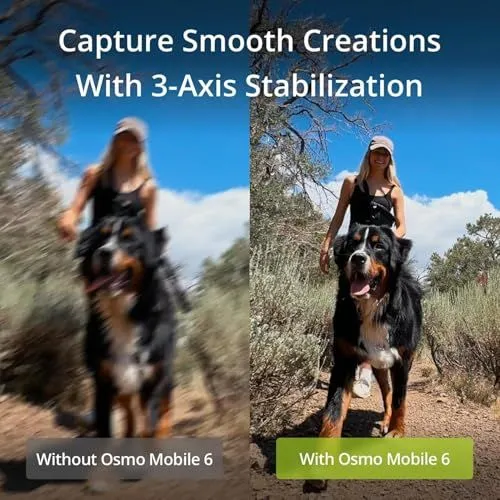
This image presents a side-by-side comparison of video stability. The left side shows a blurry and shaky shot of a woman walking a large dog. The right side shows a clear and sharp image of the same scene. A woman wearing a black tank top and a grey hat walks behind a Bernese Mountain Dog on a dirt trail. The dog looks happy with its tongue out. Greenery and blue skies fill the background. White text at the top says Capture Smooth Creations With 3-Axis Stabilization. Labels at the bottom distinguish the shots as Without Osmo Mobile 6 and With Osmo Mobile 6. The right label is highlighted in green. This graphic demonstrates the effectiveness of a smartphone gimbal.
DJI Osmo Mobile 6 Gimbal Unfolding Guide
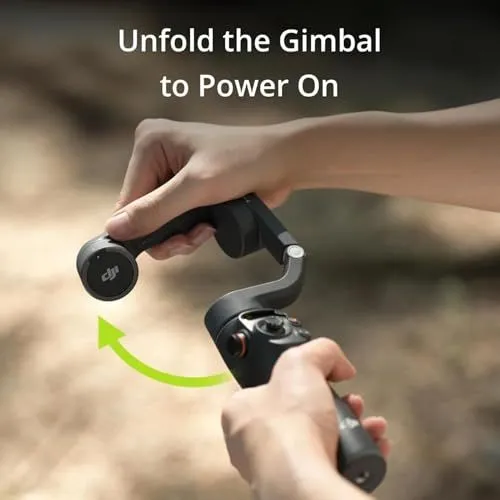
A person holds a DJI Osmo Mobile 6 smartphone gimbal with both hands against a blurred natural background. The top hand rotates the foldable arm upward as indicated by a bright green curved arrow. This action unfolds the device from its compact travel state. Text at the top of the image reads Unfold the Gimbal to Power On in a white sans-serif font. The gimbal is dark grey and features a joystick and control buttons on the handle. The DJI logo is visible on the side of the folding hinge. The lighting is bright and suggests an outdoor setting. This visual guide demonstrates the quick start mechanism of the stabilizer. The hands are positioned to show the proper grip for opening the device safely. Each part of the gimbal appears sturdy and well-engineered for mobile videography.
Key Features of the DJI Osmo Mobile 6 Gimbal

The image showcases the intelligent design features of a smartphone stabilizer. It highlights four main aspects of the device through a collage of photos. The first section shows the gimbal folded and placed in a bag to demonstrate its portability. The second section displays a family using the device with its robust grip tripod for a hands-free photo. The third section illustrates the quick-release magnetic phone clamp that makes mounting easy. The fourth section focuses on the side wheel used for smooth zooming and focusing. The overall theme emphasizes effortless use for mobile creators. The color scheme is neutral and professional. Each feature is labeled with clear white text on a dark overlay.
Built-In Extension Rod for Versatile Shooting
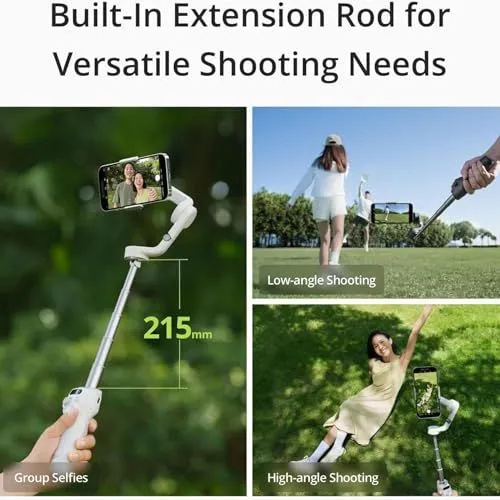
This image showcases a smartphone gimbal featuring a built-in extension rod. The main picture on the left displays the white gimbal fully extended to two hundred fifteen millimeters. A hand holds the base while two people appear on the phone screen for a group selfie. The top right panel shows the device being used for low-angle shooting near the ground. A person walks through a grassy field in this shot. The bottom right panel highlights the high-angle shooting capability. It shows a woman sitting on the grass from an overhead perspective. The text at the top emphasizes the rod is designed for versatile shooting needs. The gimbal includes a comfortable grip and a mechanical arm to stabilize the phone. This product helps users capture creative angles and steady footage. The overall design looks sleek and modern in white and silver colors.
What’s in the Box
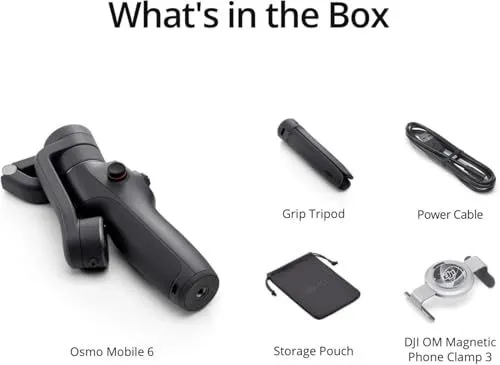
This image displays the contents included with the Osmo Mobile 6 stabilizer. The main gimbal device is shown on the left side of the frame. It has a sleek black design with a control joystick and buttons. A foldable grip tripod sits at the top center of the image. Next to it is a black power cable for charging the battery. A small black storage pouch is located at the bottom center. The final item is a DJI OM Magnetic Phone Clamp 3 for securing a smartphone. All components are neatly arranged against a plain white background. Clear text labels identify each individual part of the kit.
DJI Osmo Mobile 6 Image Search Results
The image shows a Google search result page for the DJI Osmo Mobile 6 smartphone gimbal. A search bar at the top displays the product name with various search filters like Shopping and Videos located below it. The main gallery consists of several product photos showing the gimbal in both slate gray and platinum gray colors. Some images show the gimbal holding a smartphone in landscape or portrait mode. Other photos display the full retail package including the tripod stand and magnetic phone clamp. The search results include links to major retailers like Amazon and B and H Photo. There are also smaller suggestion chips for related terms like selfie stick and extension rod at the top of the grid. The layout is clean with a white background and organized rows of high quality product photography.
Google Search Results for DJI Osmo Mobile 6
This image shows a Google Image search page for the DJI Osmo Mobile 6 smartphone gimbal. The search results display various photos of the stabilizer in both slate gray and platinum gray colors. Some images show the gimbal unfolded with a smartphone attached and mounted on a tripod. Other photos illustrate the device being used outdoors for mobile videography. One specific tile titled What is in the Box details the included accessories. These accessories consist of a grip tripod, a power cable, a storage pouch, and a magnetic phone clamp. The layout includes links to several retailers such as Amazon, Walmart, and the official DJI Store. At the bottom of the screen, there is a section for related searches showing more product details.
Google Search Results for DJI Osmo Mobile Gimbal

The image shows a Google search results page for the DJI Osmo Mobile 6 smartphone gimbal. A search bar at the top contains the product name with various navigation tabs like Shopping and Images below it. The main section features a row of five sponsored product listings from different retailers. These retailers include Sweetwater, Best Buy, QVC, B&H Photo, and Drone Nerds. Each listing displays a photo of the gimbal, its price, and a star rating. Prices range from 109 dollars to 149 dollars. Some listings mention free shipping or return policies. Below the sponsored items is an organic search result for Amazon. A knowledge panel for the DJI Osmo Mobile 6 appears on the right side of the screen. The layout is clean and typical of a modern desktop web browser interface.
A Google Shopping search results page for DJI Osmo Mobile 6 smartphone gimbals
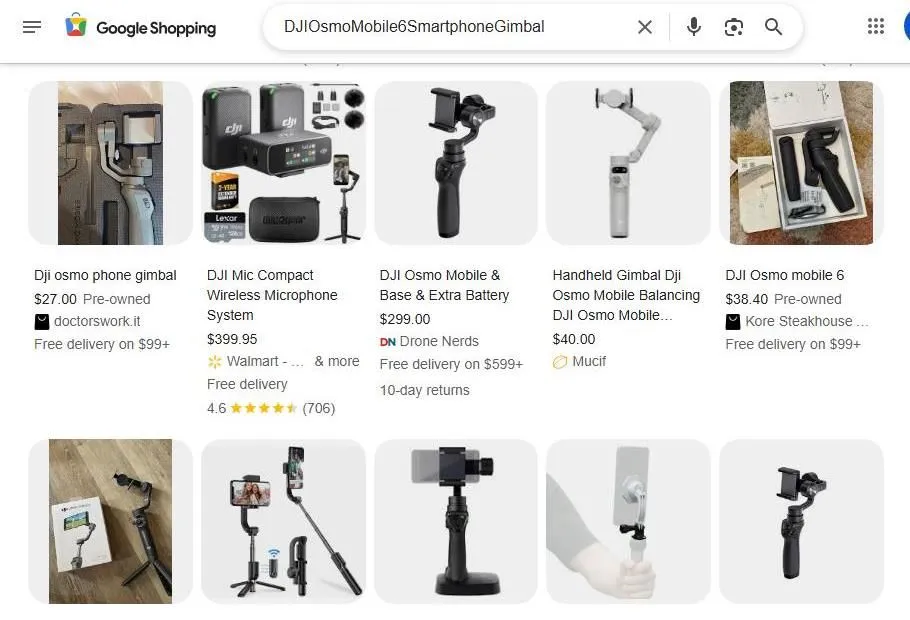
The image displays a digital screenshot of a Google Shopping search interface. The search bar at the top contains the text DJI Osmo Mobile 6 Smartphone Gimbal. Below the search bar is a grid of product listings featuring various handheld camera stabilizers and accessories. Each listing includes a product image and a short title. Most listings also display prices and store names. Several different DJI Osmo models are shown in various colors like grey and black. One listing features a DJI Mic wireless microphone system bundle. Some items are labeled as pre-owned and others are listed as new. The background of the webpage is a clean white color. The layout is organized into rows and columns for easy browsing. Navigation icons for images and voice search are visible in the search bar. The overall aesthetic is functional and commerce-oriented.
Google Shopping results for DJI Osmo Mobile 6 smartphone gimbal
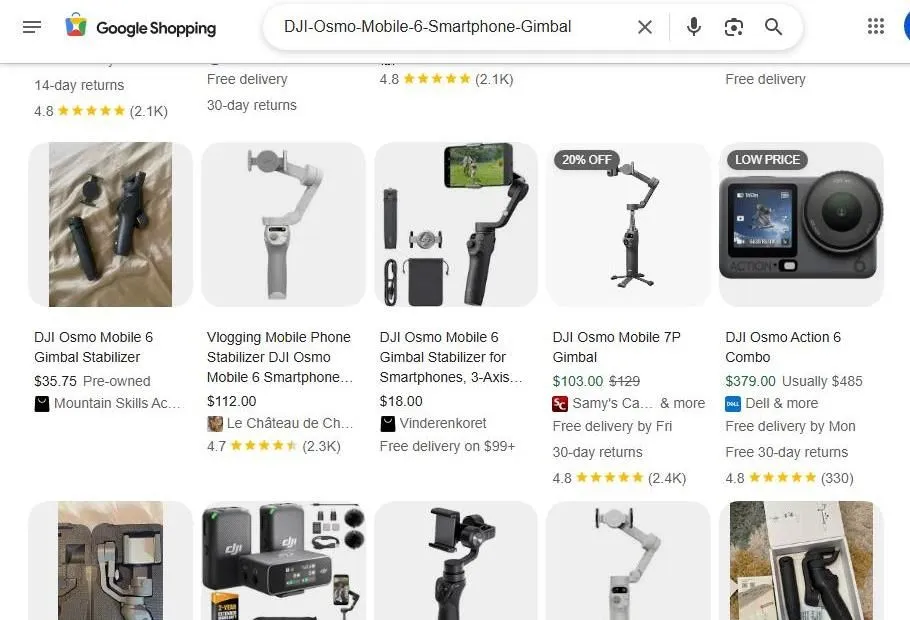
The image shows a Google Shopping search result page for the DJI Osmo Mobile 6 smartphone gimbal. Various product listings are displayed in a grid layout. Each listing includes a product image and a title. The prices vary significantly across the different sellers. Some items are marked as pre-owned or listed at a low price. A few results show related products like the DJI Osmo Action 6 camera. Ratings and review counts are visible for most items. Shipping information and return policies are highlighted below the pricing. The top search bar contains the specific product name. The interface features a clean white background with grey text. Icons for voice search and image search are present in the search bar. Some listings indicate discounts like twenty percent off. The results include both new and used options for the stabilizer.
YouTube Search Results for DJI Osmo Mobile 6
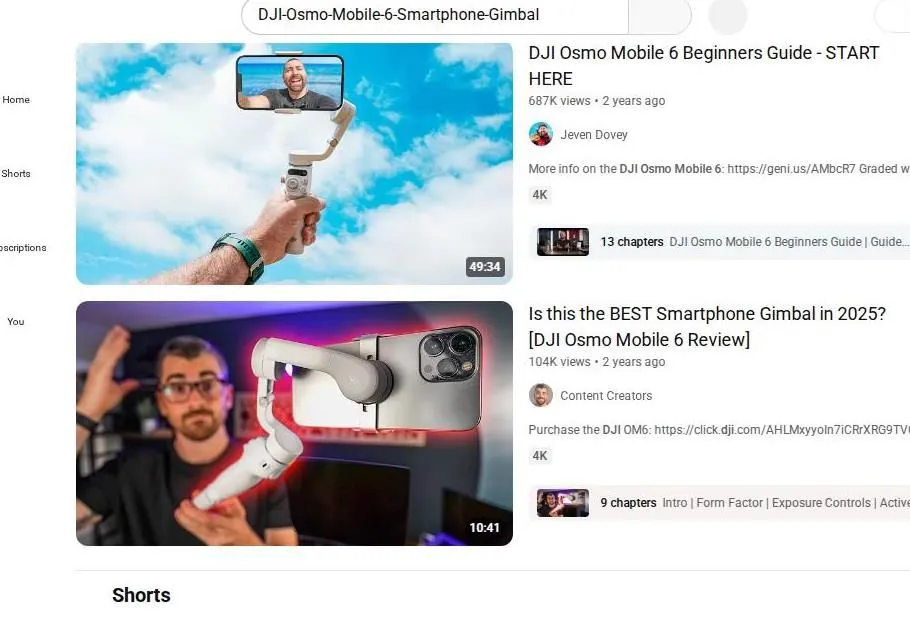
The image shows a YouTube search page. The search bar at the top displays the query for the DJI Osmo Mobile 6 smartphone gimbal. Two main video results are visible. The first video is a beginners guide by Jeven Dovey. It has a thumbnail of a man holding the gimbal against a blue sky. This video is nearly fifty minutes long and has over six hundred thousand views. The second video is a review by the channel Content Creators. It asks if this is the best gimbal in 2025. The second thumbnail shows a man in a studio setting with the device. Both videos have high view counts and were posted two years ago. Each result includes a link to purchase the product. Chapter markers are listed below the video descriptions. A shorts section starts at the very bottom of the screen.