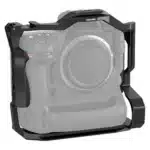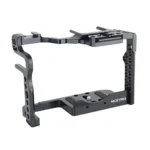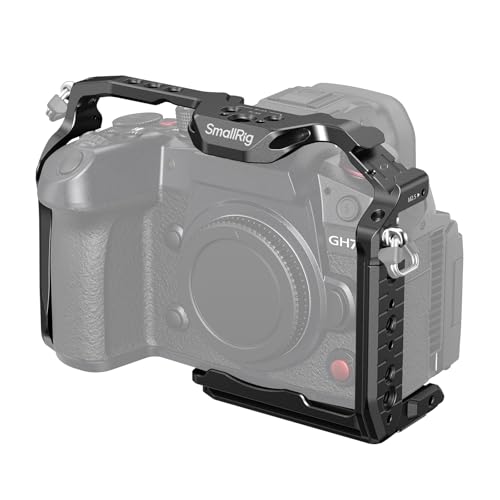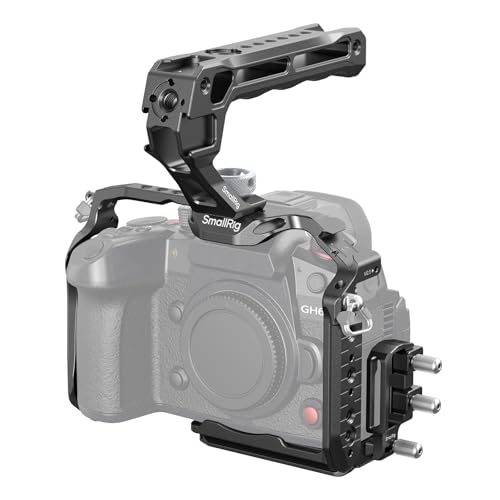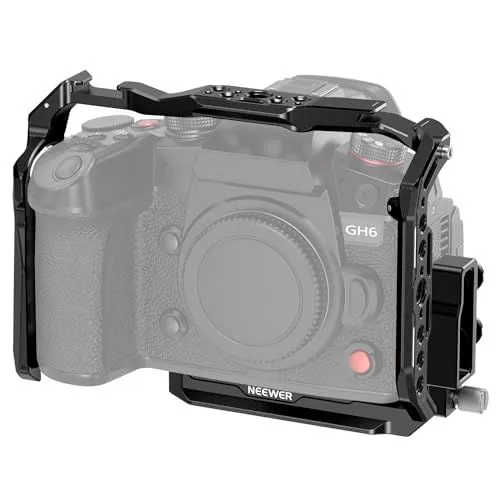
The NEEWER Camera Cage for Panasonic Lumix GH6 is a precision-engineered aluminum alloy video rig designed specifically for the GH6 to provide both protection and versatility. This formfitting cage ensures that your camera is shielded from scratches and impact while maintaining full access to all essential controls, ports, the battery compartment, and the articulating LCD screen. By using a secure 1/4 inch bottom screw and two anti-twist pins, the camera remains perfectly stabilized and locked in place during high-intensity shooting.
Equipped with a wide array of mounting options, the NEEWER Camera Cage for Panasonic Lumix GH6 serves as a central hub for professional accessory expansion. It features multiple 1/4 inch and 3/8 inch threads with ARRI locating holes, a cold shoe mount, and a built-in NATO rail for quickly attaching microphones, monitors, and top handles. Additionally, the included detachable HDMI cable clamp prevents accidental cable disconnection and protects the camera ports, ensuring a stable signal for external recording or monitoring setups.
The integrated Arca-type quick release baseplate allows for seamless transitions between different support systems, making the NEEWER Camera Cage for Panasonic Lumix GH6 fully compatible with DJI RS 3 Pro, RS 2, and RSC 2 gimbals. This design enables filmmakers to switch from a tripod to a handheld stabilizer instantly without the need for changing plates. A magnetic double-head screwdriver is conveniently stored at the bottom of the rig, providing an ever-ready tool for tightening screws and making on-the-go adjustments during production.
FEATURES:
– Aluminum video rig
– HDMI cable clamp included
– Built-in NATO rail
– 1/4 inch threaded holes
– 3/8 inch threaded holes
– Integrated cold shoe
– Arca type QR baseplate
– Compatible with Lumix GH6
– Fits DJI RS3 Pro
The NEEWER Camera Cage for Panasonic Lumix GH6 is a precision-engineered aluminum alloy video rig designed specifically for the Lumix GH6 camera. It provides a protective frame that shields the camera body from scratches and impacts while offering a secure mounting solution via a bottom screw and two anti-twist pins. This formfitting design ensures that users maintain full access to all essential camera functions, including the battery compartment, ports, buttons, and the articulating LCD flip screen. By providing a stable foundation for filmmaking, the NEEWER Camera Cage for Panasonic Lumix GH6 serves as both a durable housing and a functional stabilizer for professional video production.
– Lightweight aluminum alloy construction
– Integrated HDMI cable clamp included
– Built-in NATO rail attachment
– Multiple mounting thread options
– Integrated cold shoe mount
– Arca-type quick release baseplate
– Compatible with DJI RS3 Pro
– Tailored for Panasonic GH6
– Full access to camera controls
– Specific to Lumix GH6 model only
– Cage adds extra weight to setup
– HDMI clamp requires manual tightening
– Limited color options available
– Increased overall camera body size
– May block some battery door access
The NEEWER CA055 camera cage for the Panasonic Lumix GH6 offers a lightweight yet durable aluminum alloy construction that provides full access to camera controls while integrating useful features like a built-in NATO rail, an HDMI cable clamp, and an Arca-type quick release baseplate for seamless compatibility with DJI RS series gimbals. Despite these functional benefits and its versatile mounting threads, the rig is limited strictly to the GH6 model and naturally increases the overall size and weight of the setup. Additionally, users should be aware that it offers limited color choices, requires manual adjustment of the cable clamp, and could potentially obstruct access to the battery compartment depending on the attached accessories. Read more…
NEEWER Camera Cage for Panasonic Lumix GH6
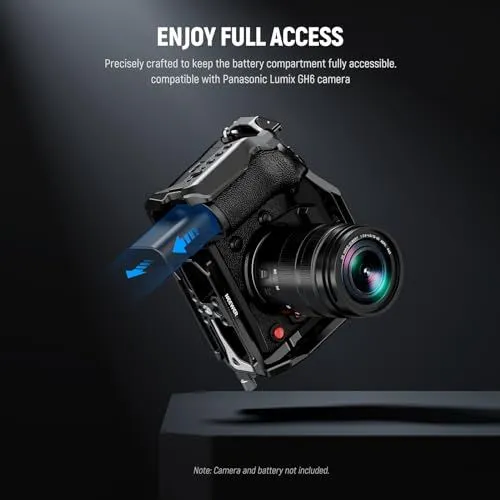
A black metal camera cage is shown fitted around a Panasonic Lumix GH6 camera. The camera body and lens are dark and professional. A blue glowing battery is being removed from the bottom compartment. This highlights that the cage does not block the battery door. The text at the top says enjoy full access in bold white letters. It mentions the cage is precisely crafted for this specific camera model. The background is a dark gray with a subtle spotlight effect. A small note at the bottom states the camera and battery are not included. The cage has various mounting points for accessories like microphones or monitors. The overall image has a clean and technical aesthetic. It demonstrates the practical design of the camera accessory.
Multiple Accessory Mounting Points
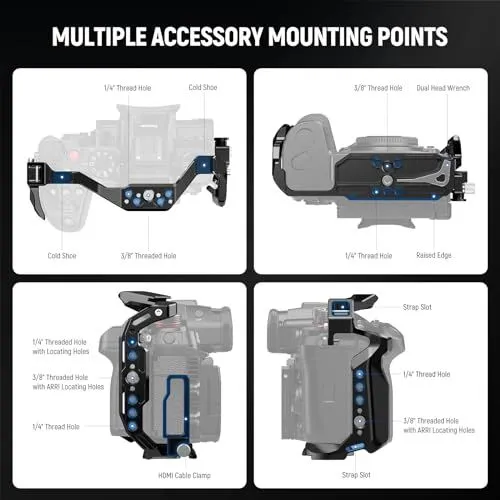
This image displays four different views of a professional camera cage designed for a digital camera. The cage is black and features several mounting points for various accessories. Each view is labeled with specific features such as threaded holes and cold shoes. The top left view shows the top of the cage with a cold shoe and thread holes. The top right view illustrates the bottom of the cage with a dual head wrench and a raised edge. The bottom left view provides a side perspective showing a cable clamp and ARRI locating holes. The bottom right view focuses on the opposite side with strap slots and more threaded holes. Blue highlights indicate the specific locations of these mounting points on the hardware. The background is dark and the overall presentation is clean and technical. This hardware is intended to provide protection and expandability for filmmakers.
Secure Camera Cage Installation
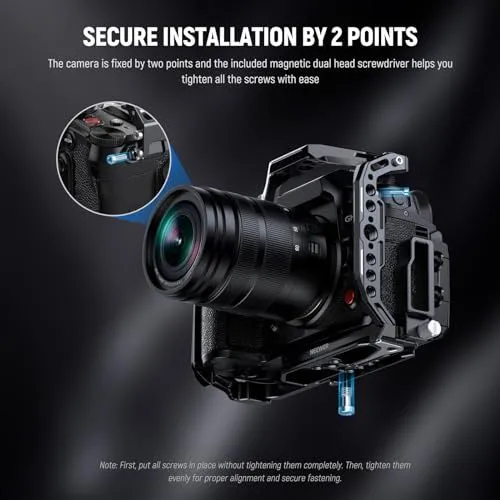
A black digital camera is shown inside a metal cage. The image explains how to secure the device using two points. One connection point is at the bottom of the camera body. The second connection point is on the side near the strap eyelet. Blue highlights emphasize these two mounting screws. A small circular inset provides a close-up view of the side mounting point. The camera has a large professional lens attached. The background is a dark grey gradient with subtle textures. Text at the top states that a magnetic dual head screwdriver is included. A note at the bottom gives advice on tightening the screws evenly. This setup ensures the camera remains stable and aligned. The overall design is clean and informative for photographers.
Quick Device Switching Arca-Type Baseplate
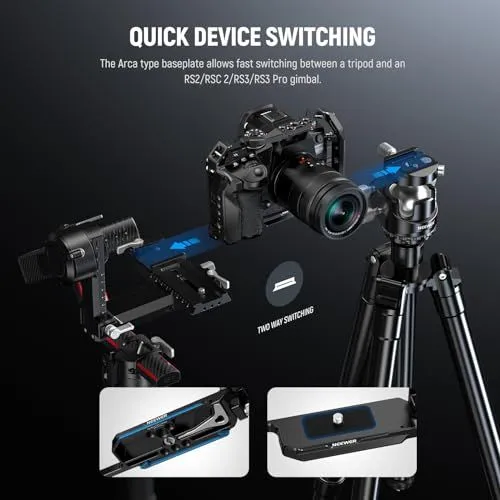
An informational graphic shows a camera switching between a tripod and a gimbal. The camera is mounted in a black cage. Blue arrows indicate the movement between the two devices. The text explains that the Arca type baseplate allows for fast switching. This plate is compatible with RS2 and RSC 2 gimbals. It also works with RS3 and RS3 Pro models. Two smaller images at the bottom show the plate from different angles. One view shows the mounting screw and Neewer branding. The other view shows the locking lever on the bottom. The background is a dark grey gradient. The overall design highlights efficiency for photographers and videographers.
Detachable HDMI Cable Clamp for Camera Cage
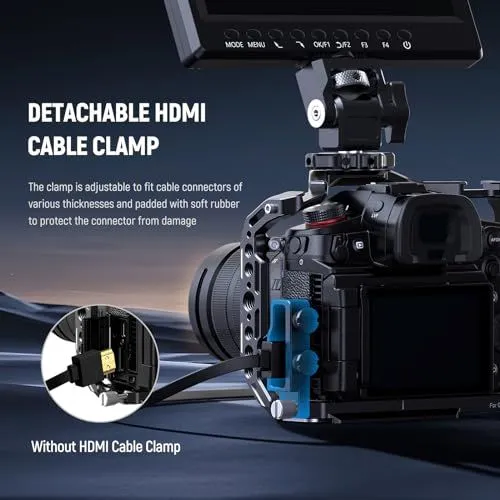
The image shows a professional camera rig setup for video production. A black mirrorless camera is mounted inside a metal cage. A blue detachable HDMI cable clamp is attached to the side of the cage. This clamp holds the HDMI cable securely in place. It prevents the cable from being accidentally unplugged during a shoot. The text explains that the clamp is adjustable for various cable thicknesses. Soft rubber padding inside the clamp protects the connectors from damage. A small circular inset shows the camera without the clamp for comparison. A field monitor is mounted on top of the rig with a swivel mount. The entire setup is displayed against a dark blue background with desert dunes. The lighting is clean and emphasizes the hardware features.
Installation Guide for a Neewer Camera Cage
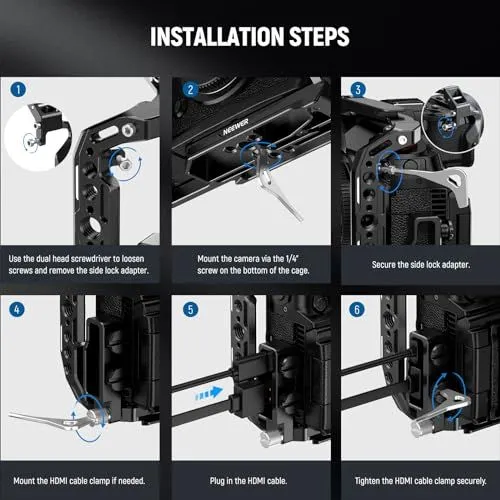
This image displays a six step instructional guide for installing a camera cage. Each step features a clear photo and a short text caption. Step one shows the removal of a side lock adapter using a dual head screwdriver. Step two illustrates mounting the camera onto the cage using a bottom screw. In step three the side lock adapter is secured back into place. Step four shows the optional mounting of an HDMI cable clamp. Step five demonstrates plugging in the HDMI cable itself. The final step shows the tightening of the cable clamp to keep the connection secure. The cage is black and made of metal. The instructional tool used is a silver flat head wrench. The camera used for the demonstration is a black mirrorless model. The background of the graphic is dark with white and blue accents.